The Monthly Meal Plan
Four weeks of dinners, planned by Claude, in about ten minutes of your time.
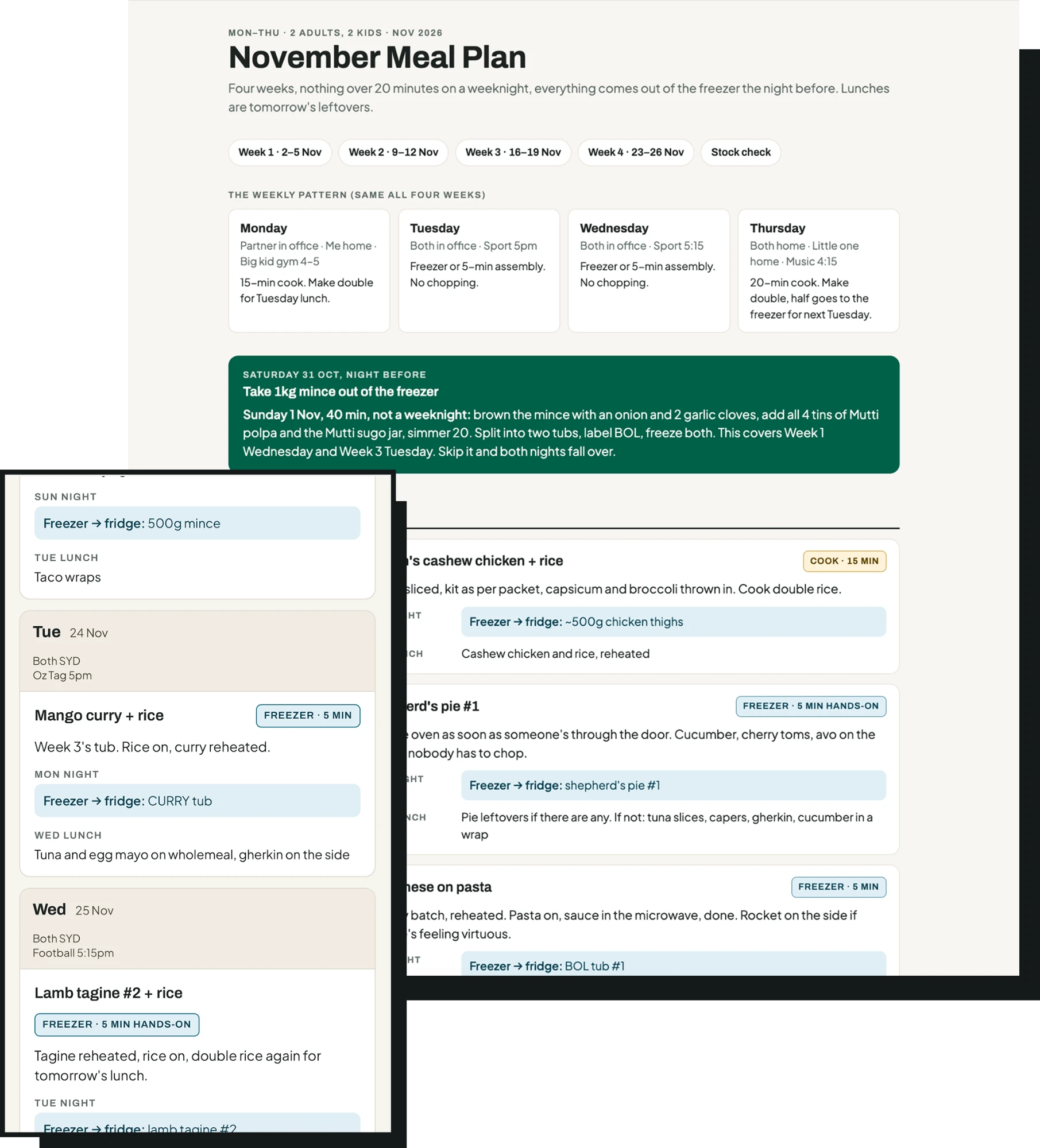
I got sick of standing at the fridge at 5:40 with two kids asking what's for dinner. So I made Claude do the planning. It reads my last two grocery shops, checks our calendar for the nights nobody's home, and builds a plan where office nights come straight out of the freezer and home nights never take more than 20 minutes. Lunches are last night's leftovers. Nothing fancy, nothing I wouldn't normally buy.
It takes three steps. Here they are.
Step 1. Grab your last two grocery invoices
Woolies and Coles email you a tax invoice PDF after every online order. Find the last two and download them. That's your shopping list. Claude will only plan with what's on them, which is the whole point. No "just pick up some harissa".
If you shop in-store, two photos of receipts work too.
Step 2. Open Claude and set it up
Go to claude.ai. Start a new chat. Attach:
- the two invoices
- this file (meal-plan.html) so your plan looks like mine instead of a wall of text
If you use Google Calendar, connect it (Settings → Connectors). Then Claude can see your office days itself. If not, no stress, you'll type them in.
Step 3. Paste this, fill in the brackets, hit enter
Create a Monday–Friday family meal plan for [2 adults and 2 children] for [4] weeks starting [next Monday's date].

Office days: [check my family calendar / Mon and Wed for me, Tue and Thu for my partner]. On nights when either of us is in the office, dinner has to be straight from the freezer or 5-minute assembly, no chopping. On home nights I'll cook, but never more than 20 minutes.

Use only items from the two grocery invoices attached. Don't suggest anything that isn't my usual shop.

Already in the freezer: [chicken thighs, mince]. Cooked freezer dinners I already have: [2 × shepherd's pie, 2 × lamb tagine, or "none"]. In the pantry: [rice, pasta, oil, soy sauce, stock].

I want dinners plus lunches made from the previous night's leftovers. Friday is leftovers or freezer, no cooking. One home-night dinner each week should make double so half goes in the freezer for next week.

Flag anything you're guessing (quantities, what's in my pantry) as VERIFY. Don't invent ingredients. Be opinionated: tell me what not to do and why.

Deliver it as an HTML artefact. Match the attached meal-plan.html exactly for layout and styling, only change the content. Break it out by week. Each day shows: who's in the office, the dinner, cook time, tomorrow's lunch, and exactly what to take out of the freezer the night before. Finish with a stock check and a Plan B section.
That's it. You'll get a page you can open on your phone, stick on the fridge, or share with whoever does the night-before freezer run.
Before you trust it
Read the VERIFY bit at the bottom. Claude can't see inside your freezer, so it guesses quantities. Tell it "actually I've only got 1kg of mince" and it'll fix the plan.
Questions I got asked
Does it work with Coles? Yes. Any invoice or receipt with item names on it.
What if my calendar's a mess? Type the office days into the prompt instead. The plan is only as good as the office days you give it. Get those wrong and it'll schedule a 20-minute cook on a night nobody's home.
Can I change it? Yes, just talk to it. "Swap Thursday for something with the mince." "Make Monday vegetarian." It updates the same page.
Do I need the paid version? It works on the free plan. You'll hit limits faster, so do it in one sitting.
What's next
Dinner was the easy bit. If you want the whole week handed to you every Sunday, that's the Sunday Rundown.